How to extract data from a response with the tree view
 Roy de Kleijn · · 2 min read

The response tree view is the fastest way to inspect a JSON response and pull values out of it.
Inspect with the tree
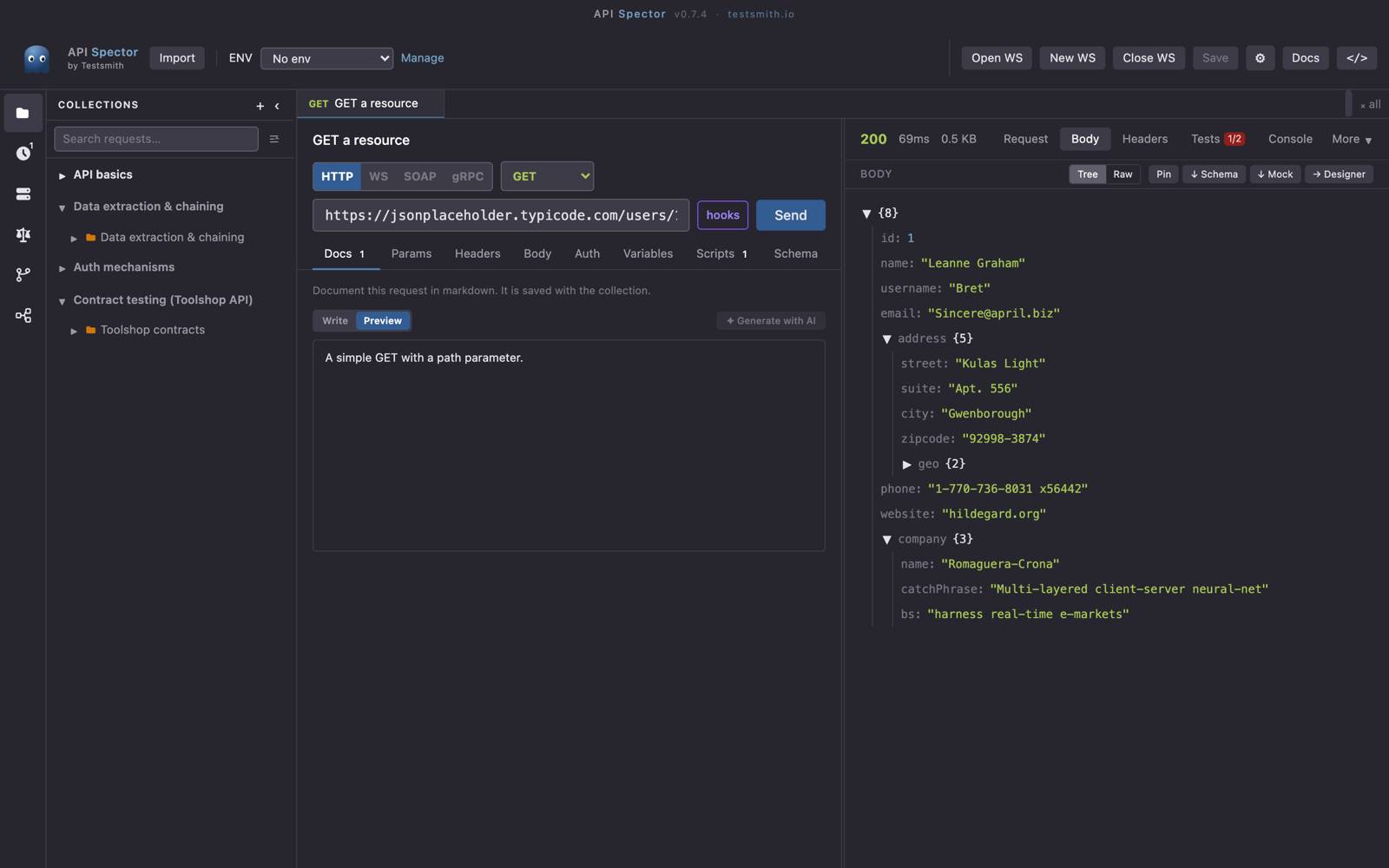
After a request returns, open the Body tab in the response panel and select the Tree view. JSON is shown as an expandable tree, which is easier to scan than raw text for anything nested.
Turn a value into an assertion
Click a value in the tree to add an assertion on it. That turns a manual check into a test that runs on every send, and it shows up in the Tests tab with a passed/total count.
Capture a value for the next request
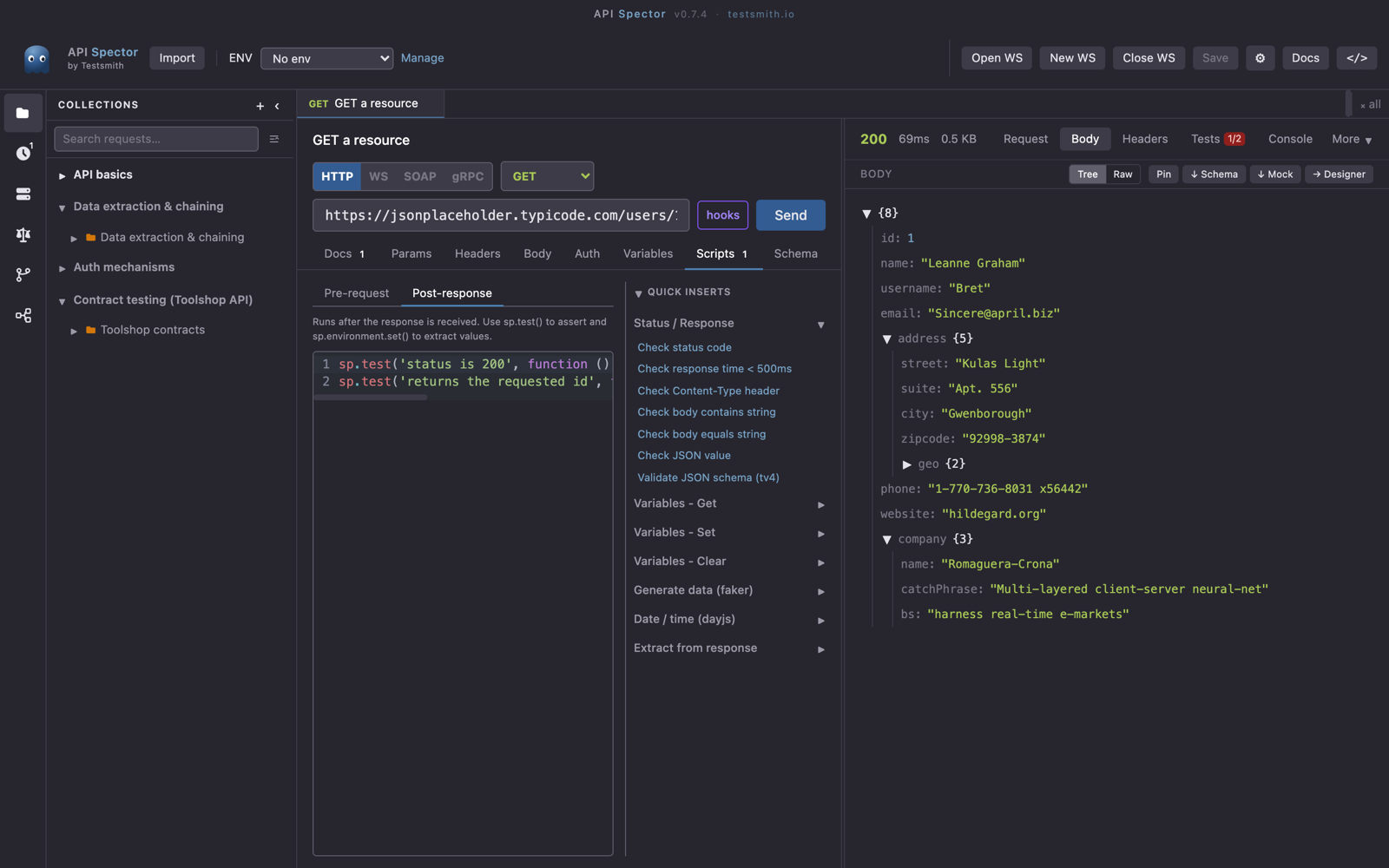
To reuse a value, for example an id or a token returned by one call in the next, use a post-response script on the request. The script API reads the response and stores a value:
sp.variables.set('userId', sp.response.body.id)
Then reference {{userId}} in the next request's URL, headers, or body. You can also write to the active environment with sp.environment.set(...) or to collection variables with sp.collectionVariables.set(...).
Save the shape
To lock in the structure of a response, use ↓ Schema in the response panel to save a JSON Schema from it. API Spector can then validate future responses against that schema and flag drift.