How to fuzz test an API in API Spector
 Roy de Kleijn · · 2 min read

Fuzzing hammers a request with malformed and hostile inputs to find the cases your happy-path tests miss: a crash, a 500, a leak, an injection that slips through. API Spector fuzzes a single request inline.
1. Open the fuzzer
Open a request and click the fuzz button at the right of the request tabs. Nothing is sent until you confirm, so you can set the run up first.
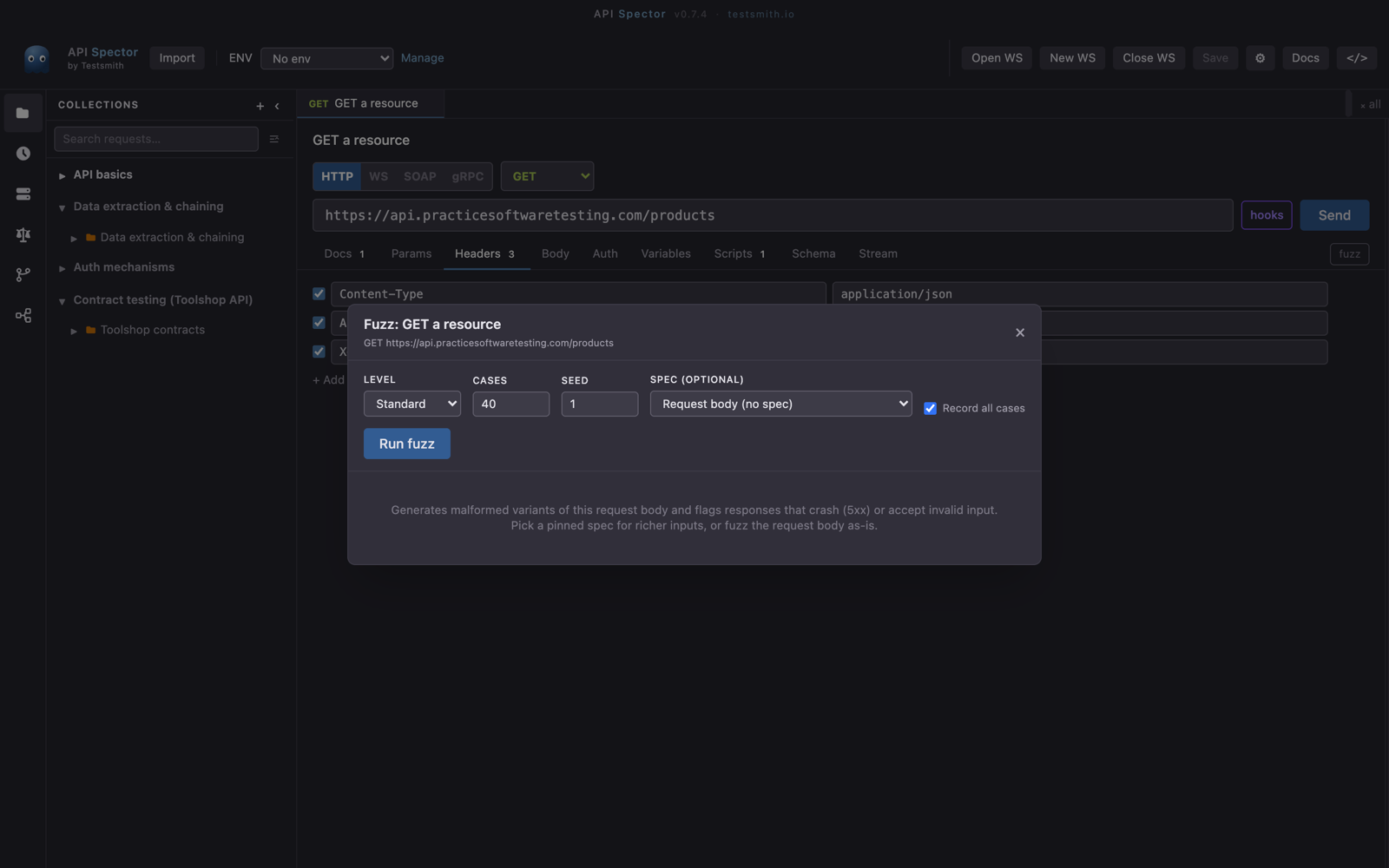
2. Pick a level
Choose how hard to push:
- Basic: structural faults (wrong types, missing fields, broken JSON).
- Standard: adds boundary values and "naughty strings".
- Aggressive: adds injection probes and header tampering.
3. Set cases and seed
Set how many cases to generate and a seed. The seed makes the run reproducible, so a failure you find can be replayed exactly.
4. Run and read the findings
API Spector generates the cases, sends them against the request's own URL, auth, and environment, and reports the findings: which inputs produced an unexpected response, with the exact case that triggered it.
Why it matters
These are the defects that never show up in example-based tests. Fuzzing explores the inputs you would not think to write by hand, and the reproducible seed turns any finding into a fixable, re-runnable case.