How to generate test code from your requests in API Spector
 Roy de Kleijn · · 2 min read
Once a collection of requests works, API Spector can turn it into runnable test code in the framework your team already uses. There is nothing to copy by hand.
1. Open the code generator
Click the </> button in the toolbar to open the Code Generator panel on the right.
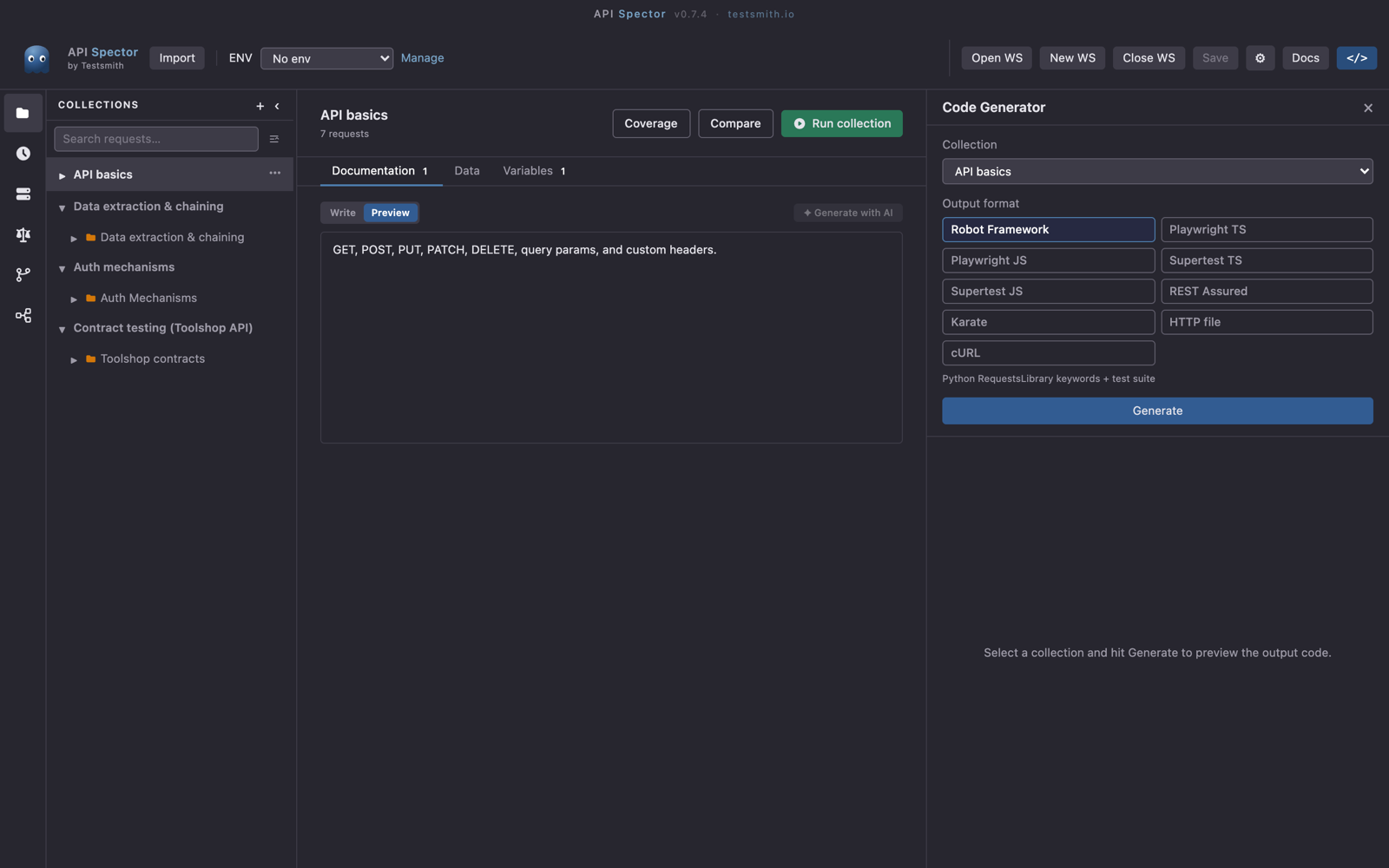
2. Pick a collection and a format
Choose a Collection, then an Output format. The targets are:
- Robot Framework: Python RequestsLibrary keywords and a test suite.
- Playwright TS and Playwright JS: page-object API classes and spec files.
- Supertest TS and Supertest JS: Jest and Supertest tests.
- REST Assured: Java, JUnit 5, and a Maven
pom.xml. - Karate: feature files and a JUnit 5 runner.
- HTTP file: a
.http/.restfile for the VS Code REST Client or IntelliJ. - cURL: a runnable shell script, one command per request.
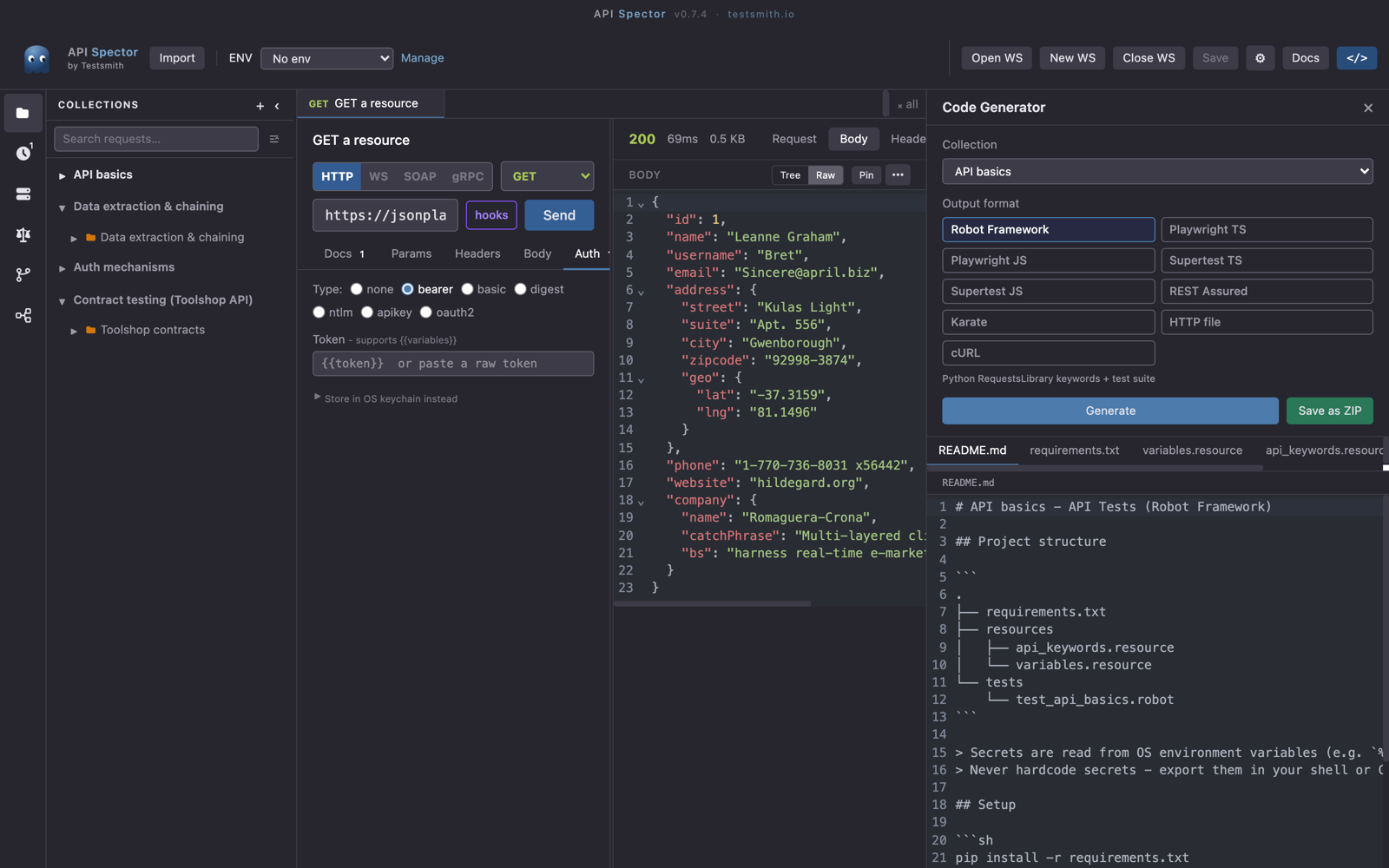
3. Generate and save
Click Generate. The generated files appear as tabs with a path label and a read-only preview, so you can check the output before you commit to it. Use Save as ZIP to write the whole set to disk.
Take it to CI
The Runner has an Export CI/CD section that produces ready-to-paste config for GitHub Actions, GitLab CI, and Azure Pipelines, along with a CLI command. For reference docs, the Docs button generates API documentation as Markdown or HTML.
Generation runs per collection, so organize requests into the collections you want to ship as test suites, then generate each one.