How to turn a response into a mock in API Spector
 Roy de Kleijn · · 2 min read
When a real endpoint returns a response you want to reuse, you can turn it into a mock route in one step and serve it locally.
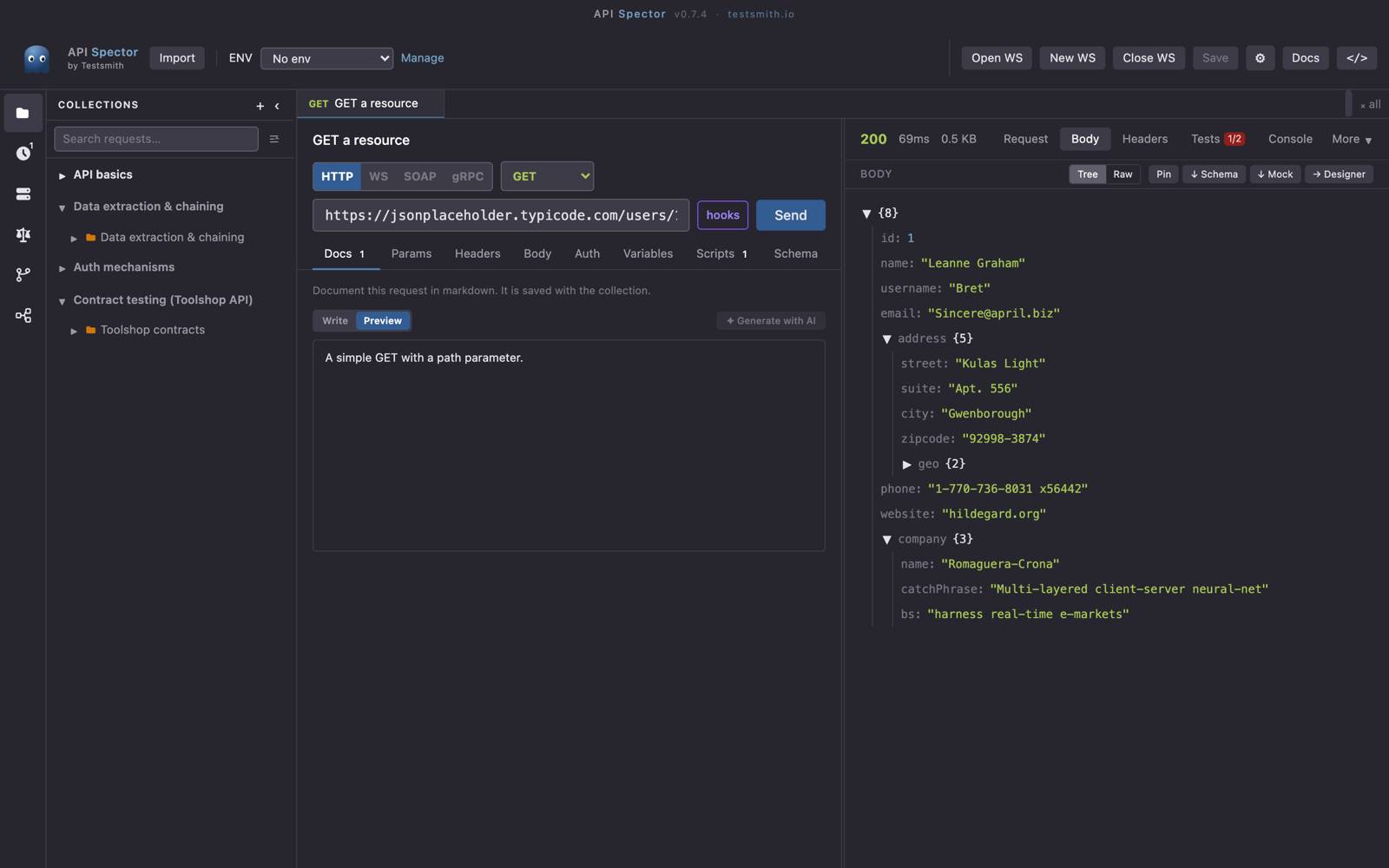
1. Send the request
Send the request whose response you want to capture. Make sure the body in the response panel is the one you want to serve.
2. Save the response as a mock route
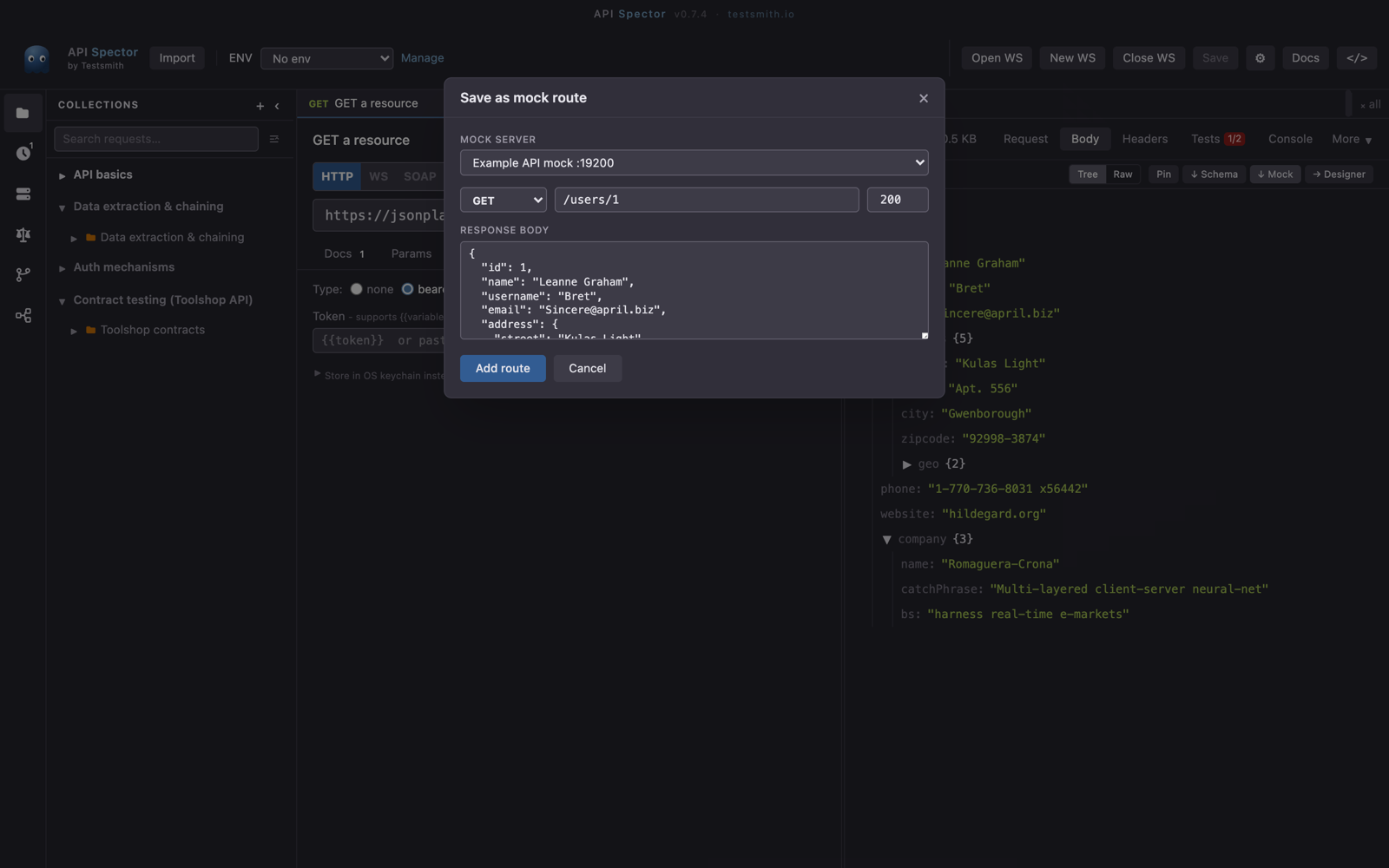
In the response panel, click ↓ Mock. API Spector opens a dialog to save the response as a mock route: it takes the method, the path, the status code, and the body from the call you just made.
3. Pick or create a mock server
Choose an existing mock server or create a new one, and the route is added to it. The response body carries over, so the mock returns the same payload.
4. Start the server
Open Mock servers in the activity bar, select the server, and press Start. It serves at http://127.0.0.1:{port}. Point your application there and it gets the saved response without touching the real API.
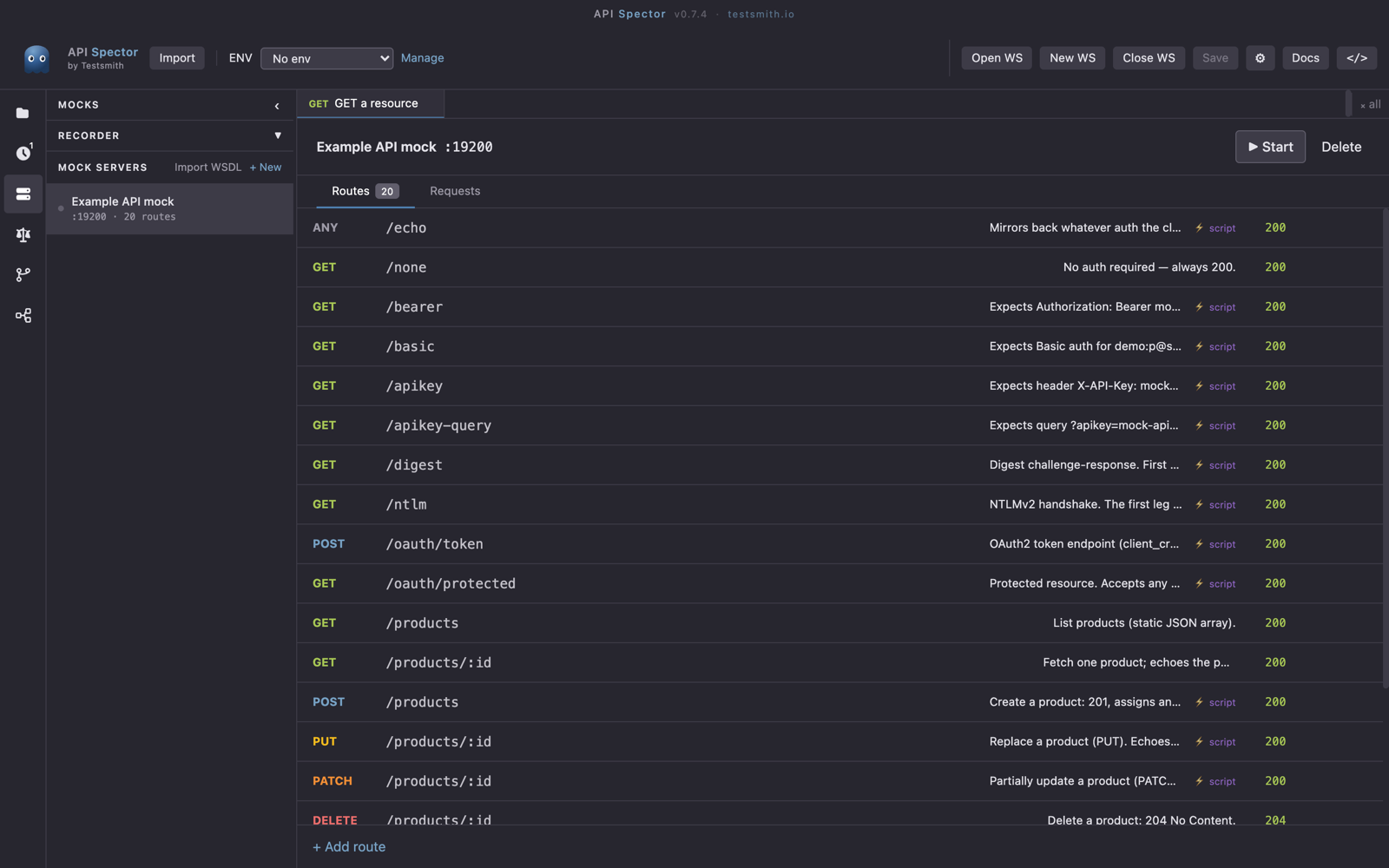
Build a fuller mock
Repeat for the responses you care about, and you have a local stand-in for the service. You can edit any route afterwards to add path parameters like /users/:id, {{faker.*}} values, headers, or a delay. See the guide on creating a mock server for more.