How to use Azure Key Vault with API Spector
 Roy de Kleijn · · 2 min read

When your secrets are in Azure Key Vault, API Spector can read them at send-time from an azure: reference, so the value never has to be pasted into a request or saved in the workspace.
What you need
- An Azure Key Vault and a secret in it.
- An Entra (Azure AD) app registration with a client secret, granted the Key Vault Secrets User role (or a get-secret access policy) on the vault.
Create a secret:
az keyvault secret set --vault-name toolshop-kv \
  --name toolshop-api-token --value 'tok_live_7Qn4Zs2fK9dYpV3xB'
1. Configure the vault
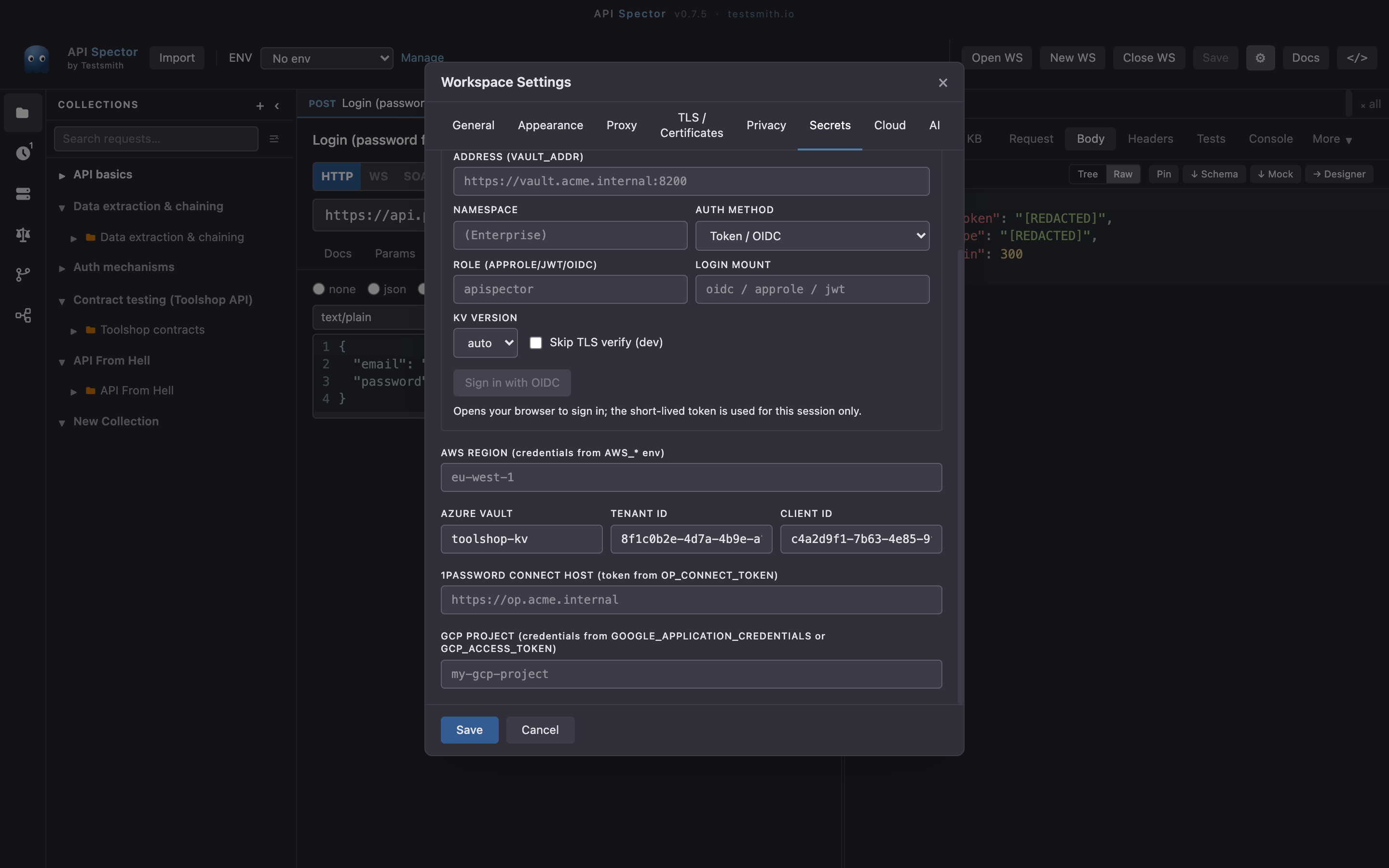
Open Workspace settings -> Secrets and set Azure vault (the name, or the full https://NAME.vault.azure.net URL), the Tenant id, and the Client id. The client secret is read from AZURE_CLIENT_SECRET in your environment, never stored in the workspace.
2. Reference the secret
azure:toolshop-kv/toolshop-api-token
azure:toolshop-kv/toolshop-api-token/<version>
azure:https://toolshop-kv.vault.azure.net/secrets/db-password
Drop the reference into an environment variable, an auth field, or inline with {{azure:toolshop-kv/toolshop-api-token}}.
3. How authentication works
API Spector requests a token from Entra with client credentials (AZURE_TENANT_ID, AZURE_CLIENT_ID, AZURE_CLIENT_SECRET) and reads the secret over the Key Vault REST API. In CI, export those three from your OIDC or federated-credential step; nothing long-lived is kept in the repo.
4. Send it
The reference resolves at send-time and is redacted from the response, the history, and any export. The same workspace runs unchanged from the CLI and in CI once the three Entra variables are set there.
Why it matters
The vault stays the single source of truth. API Spector holds only the non-secret connection details; the secret is fetched per run. See the companion guides for AWS, GCP, HashiCorp Vault, and 1Password.