How to use HashiCorp Vault with API Spector
 Roy de Kleijn · · 3 min read

Tokens pasted straight into a request have a habit of ending up in the workspace file, and from there into git. The fix is to never put the value in at all: you store it in a secret manager and reference it. API Spector resolves the reference at send-time and redacts it from everything it writes. HashiCorp Vault is the first provider, and you can try it locally in a minute.
Try it with a local Vault
If you just want to see it work, run a dev server:
vault server -dev -dev-root-token-id=root
Dev mode mounts a KV v2 store at secret/. Put a secret there (we will use the Toolshop demo login from api.practicesoftwaretesting.com):
export VAULT_ADDR=http://127.0.0.1:8200
export VAULT_TOKEN=root
vault kv put secret/practicesoftwaretesting \
  email=customer@practicesoftwaretesting.com \
  password=welcome01
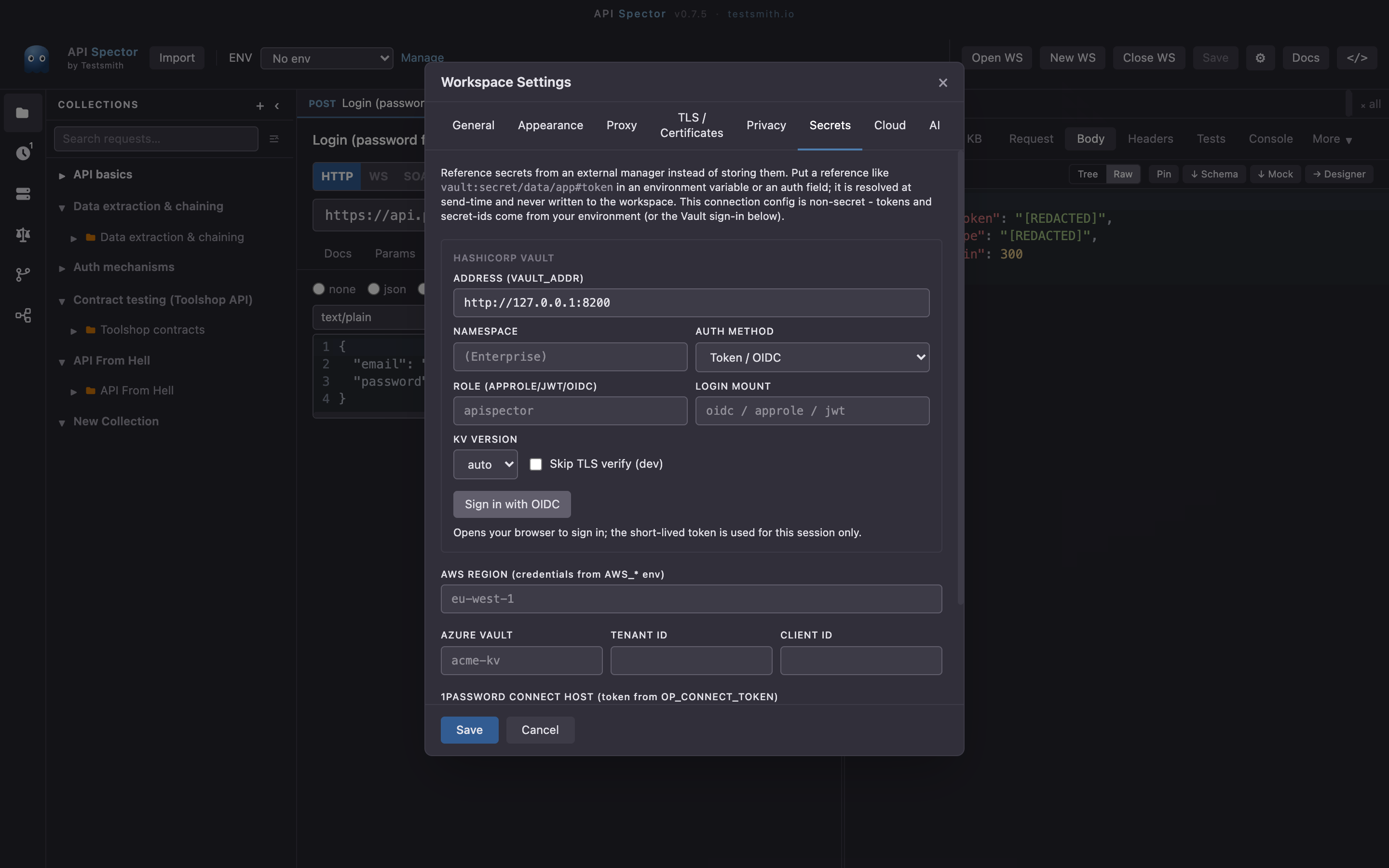
1. Point API Spector at Vault
Open Workspace settings -> Secrets. Under HashiCorp Vault, set the Address (VAULT_ADDR). The token is read from your environment (VAULT_TOKEN, or ~/.vault-token), or you can sign in with OIDC from here. API Spector stores only this non-secret connection config, never the token itself.
2. Reference the secret
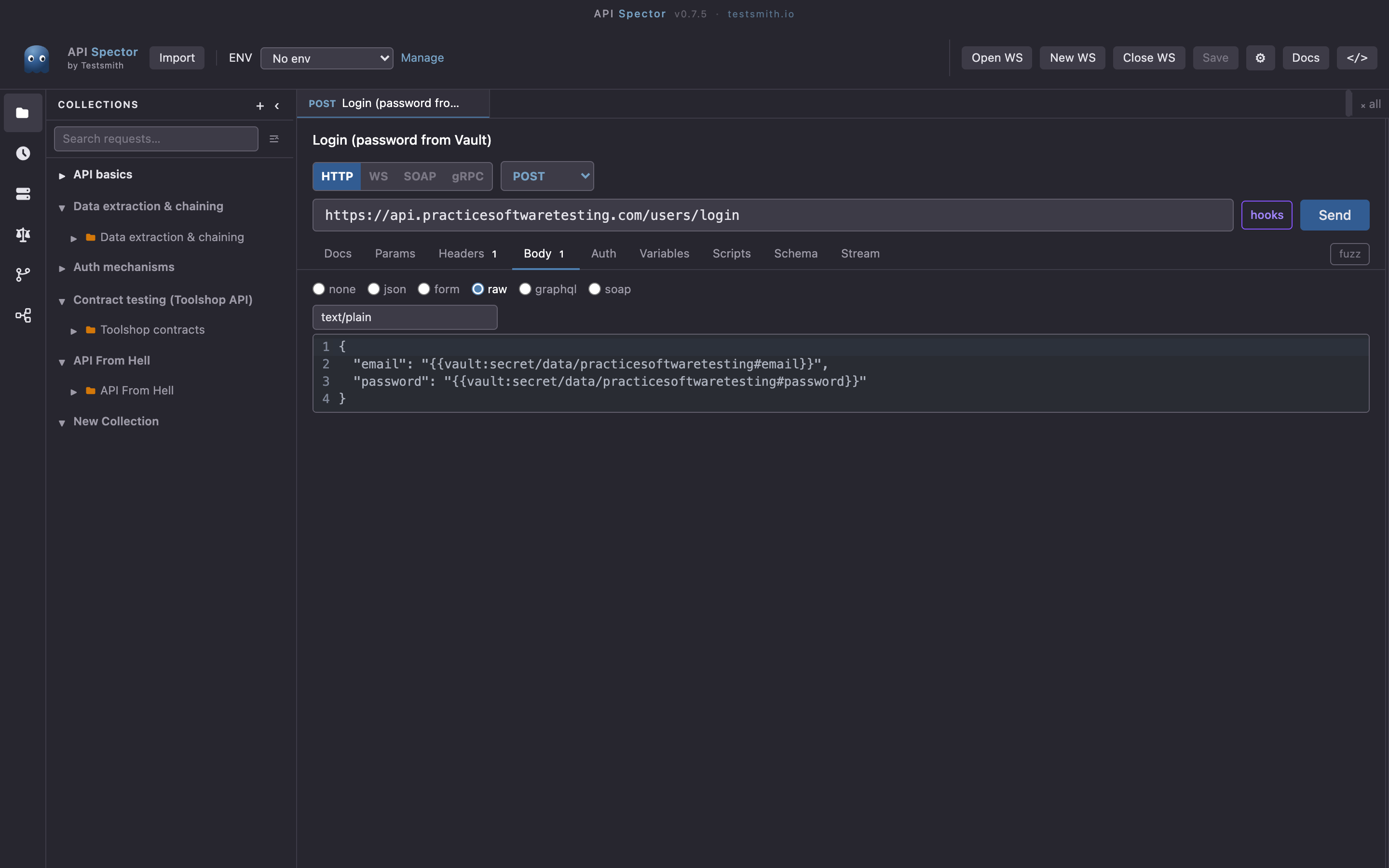
A Vault reference is vault:<path>#<key>. For a KV v2 store the path includes /data/. Put the reference anywhere a {{variable}} works: a URL, a header, an auth field, or the request body. Here the Toolshop login reads its email and password straight from Vault:
3. Send it
API Spector resolves each reference at send-time, sends the request, and redacts the resolved values from the response, the history, and any file you export.
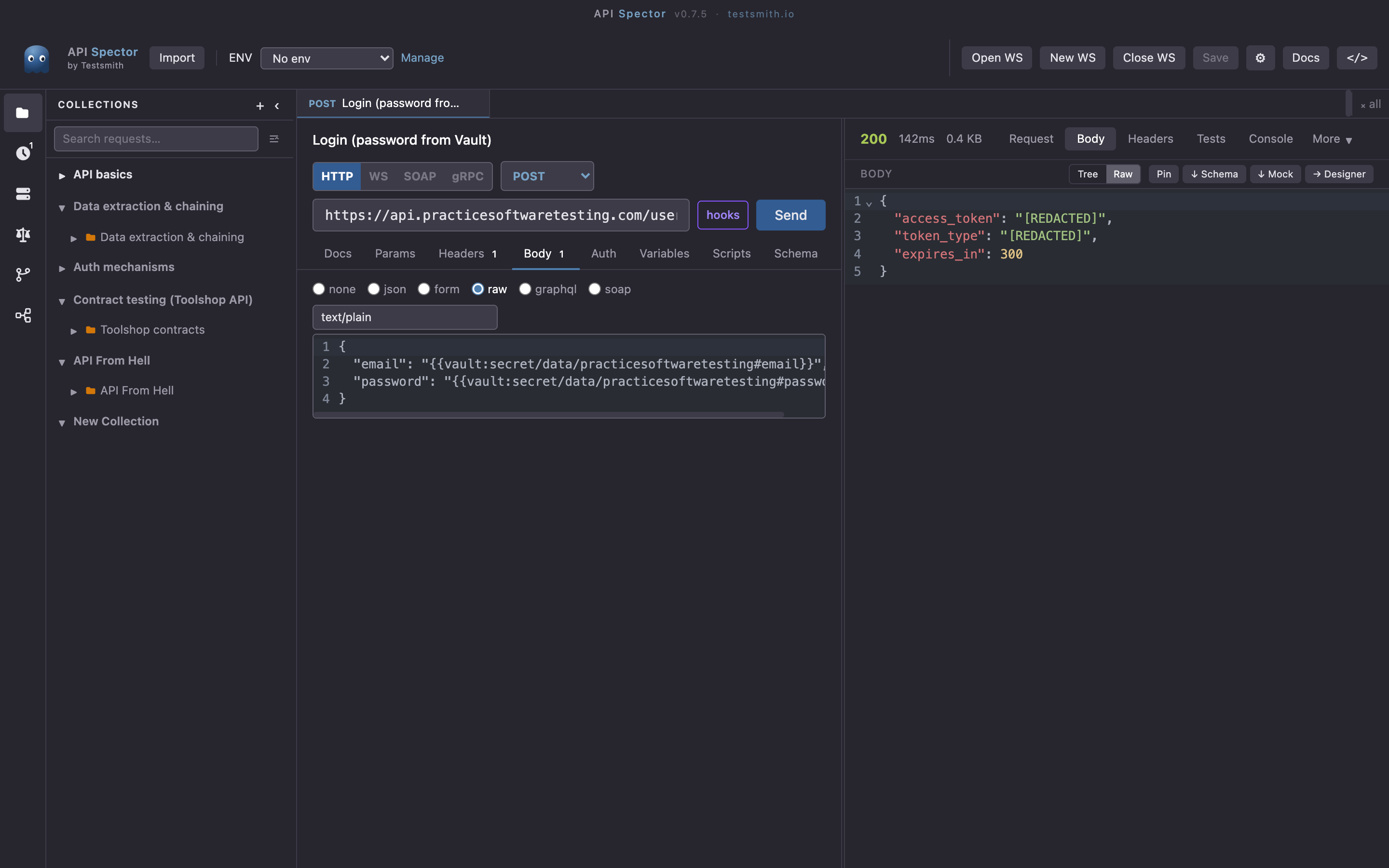
The login returns 200: the password came from Vault, and the access_token in the response is shown as [REDACTED] so the secret never lands in your history.
Auth methods
Token auth is fine for local work. For a pipeline, API Spector also supports AppRole (VAULT_ROLE_ID / VAULT_SECRET_ID) and OIDC, plus Enterprise namespaces and both KV v1 and v2. In GitHub Actions the OIDC action exports a short-lived VAULT_TOKEN and API Spector just uses it, so no long-lived token ever sits in the repo.
Why it matters
The reference travels with the workspace; the value never does. The same collection runs on your laptop, from the CLI with api-spector run, and in CI, each one pulling the live secret from Vault at run time. See the companion guides for AWS, Azure, GCP, and 1Password.