How to use GCP Secret Manager with API Spector
 Roy de Kleijn · · 2 min read

If your secrets already live in Google Cloud Secret Manager, you can reference them from a request instead of copying the values into your workspace. API Spector resolves a gcp: reference at send-time and redacts it from everything it writes.
What you need
- A GCP project with the Secret Manager API enabled.
- A secret in that project.
- Credentials to read it: either a service account key granted the Secret Manager Secret Accessor role, or a short-lived access token (from
gcloudor Workload Identity Federation).
Enable the API and create a secret:
gcloud services enable secretmanager.googleapis.com --project=my-project
printf 'tok_live_7Qn4Zs2fK9dYpV3xB' | \
  gcloud secrets create toolshop-api-token --data-file=- --project=my-project
1. Set the default project
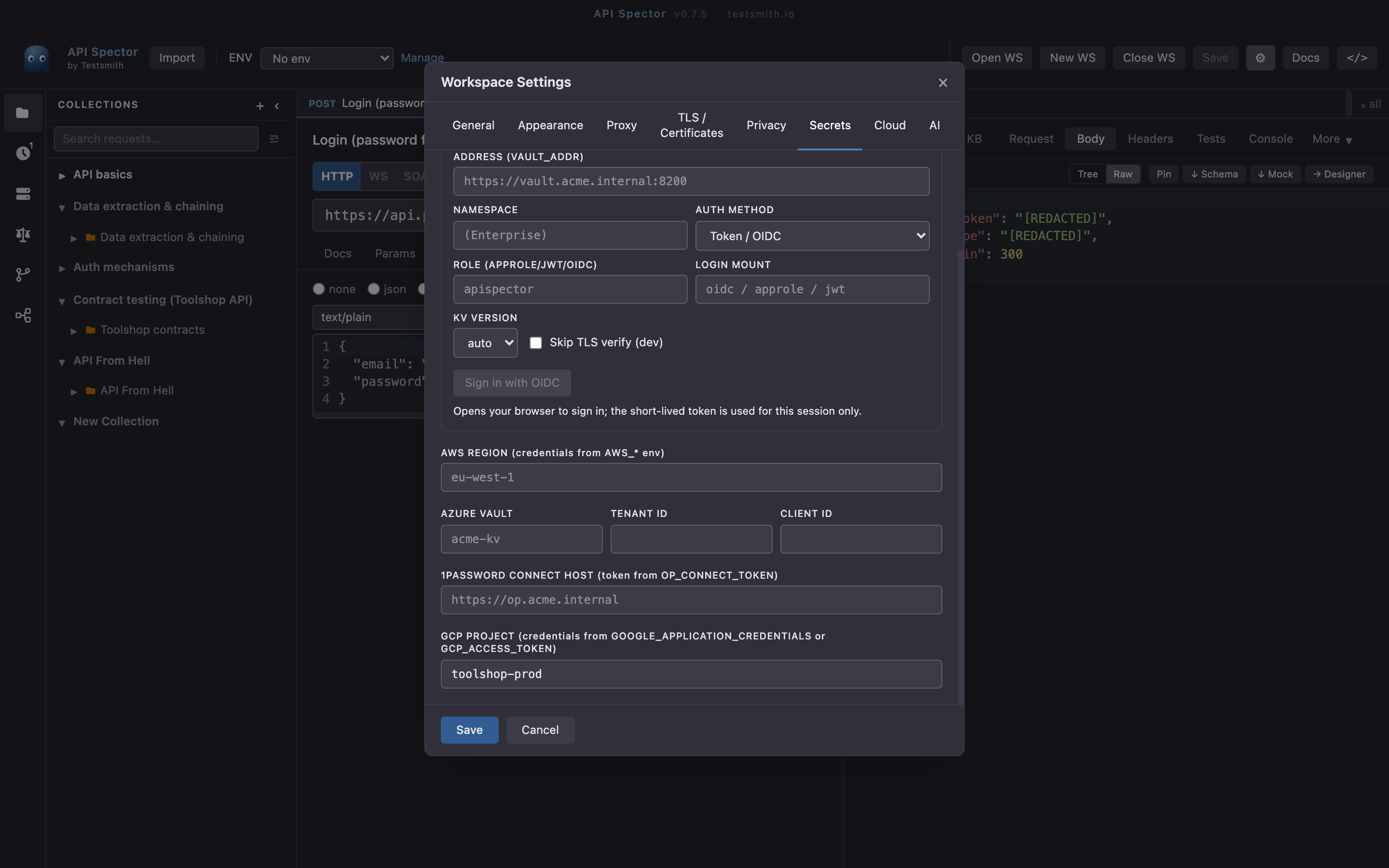
Open Workspace settings -> Secrets and set GCP project to your project id. This is the default for references that do not name a project; credentials come from the environment, not the workspace.
2. Provide credentials
API Spector tries two sources, in order:
GCP_ACCESS_TOKEN- a short-lived token. Locally,export GCP_ACCESS_TOKEN="$(gcloud auth print-access-token)". In CI, a Workload Identity Federation step exports it, so no key file is stored.- A service account key - a path in
GOOGLE_APPLICATION_CREDENTIALS, or the JSON itself inGOOGLE_APPLICATION_CREDENTIALS_JSON. API Spector signs a JWT with the key and exchanges it for a token.
Grant the service account roles/secretmanager.secretAccessor on the secret.
3. Reference the secret
gcp:my-project/toolshop-api-token      # latest version
gcp:my-project/db-creds#password       # one field of a JSON secret
gcp:my-project/toolshop-api-token/3    # a specific version
gcp:toolshop-api-token                 # uses the default project from settings
Put the reference in an environment variable, an auth field, or inline in a request with {{gcp:my-project/toolshop-api-token}}.
4. Send it
API Spector reads the secret over the Secret Manager REST API at send-time, substitutes it, and redacts the value from the response, the history, and exports. The same reference resolves from the CLI and in CI, as long as the credentials are present in that environment.
Why it matters
The value lives in Secret Manager and is fetched fresh on every run. Nothing sensitive is stored in the workspace or committed to git. See the companion guides for AWS, Azure, HashiCorp Vault, and 1Password.